
Getting Started
Project Data Table
How to define spans and loads in the multi-span data table.
Project Data Table
The project data table is where every optimization starts. Here you define the spans and loading for your project. It appears in the center-right column of the optimization screen.
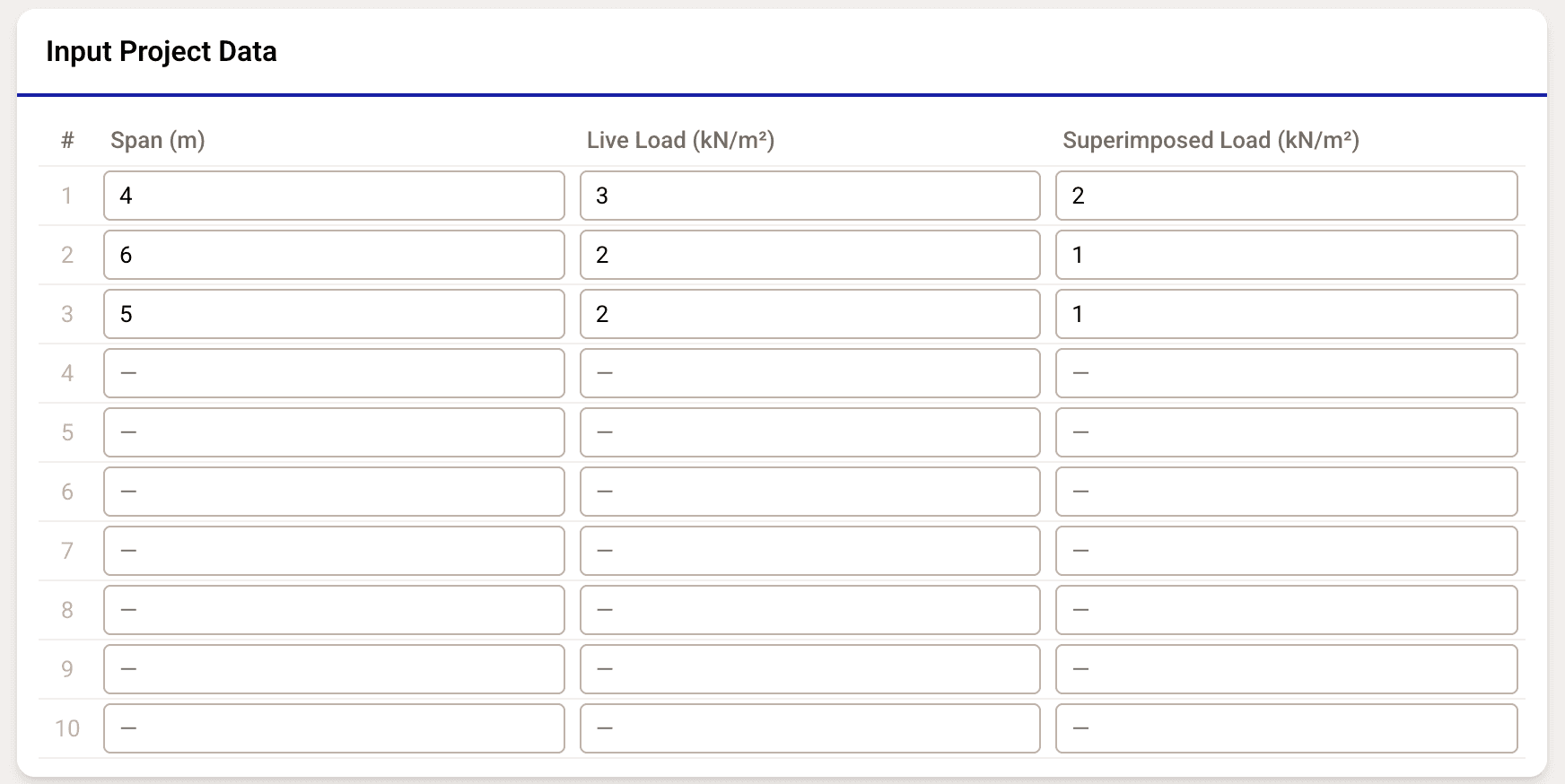
Entering Span Data
The table has columns for:
- Span number (#)
- Span length (m or ft)
- Live load (kN/m² or psf)
- Superimposed dead load (kN/m² or psf)
Click any cell to edit its value.
Multi-Span Projects
Fill in multiple rows to define a multi-span project. Each row represents a different span with its own length and loading conditions. The optimizer runs independently for each span using the same materials and mold selections.
Validation
- All values must be positive numbers
- Invalid cells are highlighted with a red border
- The Generate Designs button is disabled if validation errors exist
- Hover over an error indicator to see the specific issue
Unit Conversion
Use the unit toggle in the app header to switch between metric and imperial. The table updates all displayed values automatically — stored values always remain in SI.
| Quantity | Metric | Imperial |
|---|---|---|
| Span | m | ft |
| Live load | kN/m² | psf |
| Superimposed load | kN/m² | psf |